26/10/2014

Happy New Year Movie, 2 Days Total Collection

After some bad movies, Farah Khan finally come up with new year surprise.After Salman Khan and Aamir Khan, King Khan is ready to release its big movie.This diwali, shahrukh khan's Movie Happy new year has released, directed by Farah khan.It is expected that, Movie has managed to break all previous records of opening day box office collection, and all time highest life time box office collection of “Dhoom 3.Experts said that, it can break Dhoom 3 records.

First day collection of Dhoom 3 was 33.42 crore which is highest first day collection till this Friday.Yes, Happy new year breaks all the records.The first day collection of Happy new year was Rs. 44.97 crore.The movie has collected more than Rs. 40 Crores on its second day on Indian box office.


So the total collection is approx Rs. 85 crore in just 2 days on Indian box office.It is expected that Happy new year will collect Rs. 40 crore on Sunday.The movie has been released in 6,000 screens worldwide, 4,800-5,000 in India.


The First day world wide collection was Rs. 49.9 crore, however it is released in few countries only including Australia, North America, United Kingdom, and Malaysia.Happy New Year not earned much in these countries.As compared to Happy new year, previous shahrukh khan's movie did better at the US box office.Keep in touch to know more about Bollywood movies collection.

16/10/2014

How to get Genuine Google Adsense Account in Just 10 Days - Quick Tips

Google Adsense is the best Advertisement network to earn money online via blogging.As we mentioned in out articles, blogging is the easiest way to make money online.If you're a good writer and you know some basics of SEO, then you can earn efficient money online with Google Adsense.

Google Adsense is required, because it gives best CPC rate and secure ads.There are some other ad networks like Popads, Infolinks, Bidvertiser, that can helps you to monetize your blog.It is very difficult to Approve Google Adsense. Google Adsense approval process is very strict and they have some policies that should match with your blogs policy.

<img src="http://v.gd/iXtPBw" alt="How to get Genuine Google Adsense Account in Just 10 Days" />

Normally Google only approve unique blogs.If you owned a blog, receive 100-200 daily unique visitors and no copy content then 100% you will get Adsense account.

I have Approved 2 Adsense account in just 10 days and i learned many things about Google Adsense in that 10 days.Today i will share my experience and also share how you can get your genuine Adsense account in just 10 days.Follow below steps.

1. Decide Unique Topic:

The first step is to decide a topic on which you want to make a blog.Choose unique topic.Many bloggers make blogs on technology news and programming sites.Keep in mind that, 98% tech blogs are rejected by Google.So take long time and select unique topic for you blog on which you can make quality articles.

2. Make a blog:

After selecting topic, you need to make a blog on which you want to get Google Adsense.You can choose either blogger or wordpress platform.

3. It's time to buy a Domain:

If you're planning to get Adsense account on blogspot domain then you're on wrong track.You can apply for Adsense on blogspot domain but that account is called hosted Adsense account, not genuine.You can not shows ads on custom domain.So i recommended you to buy a high-class domain like .com or .org.

4. Articles:

After setting environment, finally its time to decide your blog topics and start posting articles.Keep in mind that Google is very strict.So don't copy articles, even a single line.Always try to write unique articles and all the articles should contain minimum 500-600 words.Arrange your article in proper paragraph and lines.Don't use single lines.

5. Number of Posts:

How many posts are required to apply got Adsense? Many users asked this question as it is very important.Your Adsense approval is fully dependent on your articles.According to my experience, You have to make minimum 10-15 unique articles to get Adsense account.

6. Images and Videos:
It is very effective to add images and videos to your articles.Don't use copyrighted images and videos, otherwise your blog will be removed soon.Also, don't use so-much flash content.Give credit to image author.Add ALT tags to your images.

7. Sitemap, Privacy policy, Disclaimer:

Add Sitemap, Privacy policy, and Disclaimer page to your blog.If you don't know how to make a Privacy policy then you can Google it.Many free websites are available online to create a privacy policy.Create a sitemap of you blog and also disclaimer page.Submit your sitemap to different search engines.Check our website's policy and disclaimer.

8. About US and Contact US:

Add about us and contact us pages to your blog.It is required because, it helps visitors to contact.

9. Add Robot.txt to your blog:

Add robot.txt file in your blog.Robot.txt is a collection of codes that contains the rules for the bot-crawlers about how they will index your website / blog.Many seach engine like Google, use Robot.txt file to index the web content,and for many other reasons.For more details check this article.

10. Do some SEO:

Search Engine Optimization is required to indexing and crawling your blog.Do some SEO for your blog to index your articles into Google search list.Use bold, italic and underlined keywords in your articles.Include internal links to your articles.

11. Finally Apply for Adsense:

While applying for Adsense, use your professional email ID like xyz@yoursitename.com or you can use yoursitename@gmail.com.Keep in mind that, Google Adsense process is divided into two steps.Don't make any change after applying for Adsense, event don't open your blog.

After 2-3 hour, go to Google.com/adsense.If you have successfully completed first step then you can login into Google Adsense account.After log in, accept Google Adsense terms and condition and then immediately place ad code on your website.Just create one block of size 300x250 and place it to blog's sidebar.That's it.Now wait for Google's email.Generally it takes 2 to 3 days.If you follow all the above steps carefully then you will definitely get Adsense account in just 10 days.

If you have any questions then please tell us using comments.

Dual Screen YotaPhone is Coming to India on Flipkart for Rs 23,499

At the beginning of this year, the Russian manufacturer, Yota revealed its innovative Smartphone at MWC 2014.The device is said to feature a dual screen.After the official world wide launch, this device is expected to launch in Inda. YotaPhone is launched in India on India's largest online shopping portal, Flipkart for Rs 23,499.


To remind you, Yota Devices had already developed this dual screen Smartphone last year.The latest YotaPhone 2 comes with a unique feature offers a full-touch control on its always-on secondary electronic paper display (EPD).

Also check: Google Officially Launched Nexus 6 and Nexus 9, Available early November with Android Lollipop

YotaPhone has a 4.3-inch 720p LCD panel, 4.3-inch e-ink panel with 640x360p display, 1.7GHz quad-core Qualcomm Snapdragon 400 processor with 2GB of RAM and 32GB of internal storage.It runs Android 4.2.2 Jelly Bean OS and features 13MP rear camera, 1MP front shooter.It has 1800 mAh battery.

Stay tuned for more updates !

15/10/2014

Google Officially Launched Nexus 6 and Nexus 9, Available early November with Android Lollipop

As we mentioned in our previous post, Google is planning to expand its Nexus line-up.Rumors said that, Google will launch Nexus 6 and Nexus 9 tablet this year along-with Google's new operating system, Android 5.0.

Also check: Google to Release Nexus 6 and Nexus 9, Android 5.0 Lollipop: leaked

Today, Google has unveils the Nexus 9 tablet and Nexus 6 Smartphone.Both the devices will shipped with Android 5.0 which is called Lollipop.This two Nexus devices will be available for purchase in November and pre-orders starting later this month.Google launched Android 5.0  at Google I/O 2014 with Android Wear devices.Google has also confirmed the name of Android 5.0 which is Lollipop.According to rumors, Motorola Moto X, Moto G will soon get Android 5.0 update.


Nexus 6 features a 6-inch Quad HD display, Snapdragon 805 processing (quad-core 2.7GHz), Adreno 420 graphics, a 13-megapixel camera, and 3220mAh battery.Nexus 6 will be available for $649(32GB), and $699(64GB).


On the other hand, the Nexus 9 is a 9-inch tablet manufactured by HTC, comes with a 8.9-inch screen, NVIDIA Tegra K1 processing (quad-core 2.5GHz Cortex-A15), 2GB RAM, 8MP rear and 1.6MP front-facing cameras and a 6700mAh large battery.Nexus 9 tablet will cost 16GB for $399, 32GB for $479, and 32GBs with LTE will cost $599.The Nexus 9 and Nexus Player will be available to pre-order on October 17.Apple will launch its new iPad Air 2 and some another gadgets on 17th October.

Also check: Microsoft launched Analog keyboard Prototype for Android Wear Devices

Google to Release Nexus 6 and Nexus 9, Android 5.0 Lollipop: leaked

This year Google launched its next generation mobile operating system Android 5.0, which is expected to release soon.Before the launch of Android 5.0, Google released some new features of Android 5.0 and new material design.Well, Android 5.0 is in its developing stage and Motorola, HTC and LG has confirmed their few devices, get Android 5.0 update soon.

Also check: Motorola Droid Turbo Smartphone Image Leaked online, comes with 21MP rear camera


However, Android 5.0 developer preview is available for download for Nexus 5.Recently some images of Nexus 5 (2014) with the Android 5.0 Lion leaked with its Benchmark.The device is expected to comes with a 5.2-inch display with a resolution of 2560x1440 pixels, 805 quad-core Snapdragon processor with a clock speed of 2.7 GHz, Adreno 420 graphics accelerator and 3 GB of RAM.Over the last few weeks, so-many rumors have been circulating about the launch of Google's new Android device called Nexus 6.
Recently, According to some fresh rumors, Google will release its new Android smartphone Nexus 6 along-with the Nexus 9 tablet.In this launch event, Google also released the official name of its next major update of Android which might be Lollipop.Google also released three ads showing its new Android device and Android 5.0.


Source: slashgear

12/10/2014

The Complete Guide on How to Root Moto X (2014)

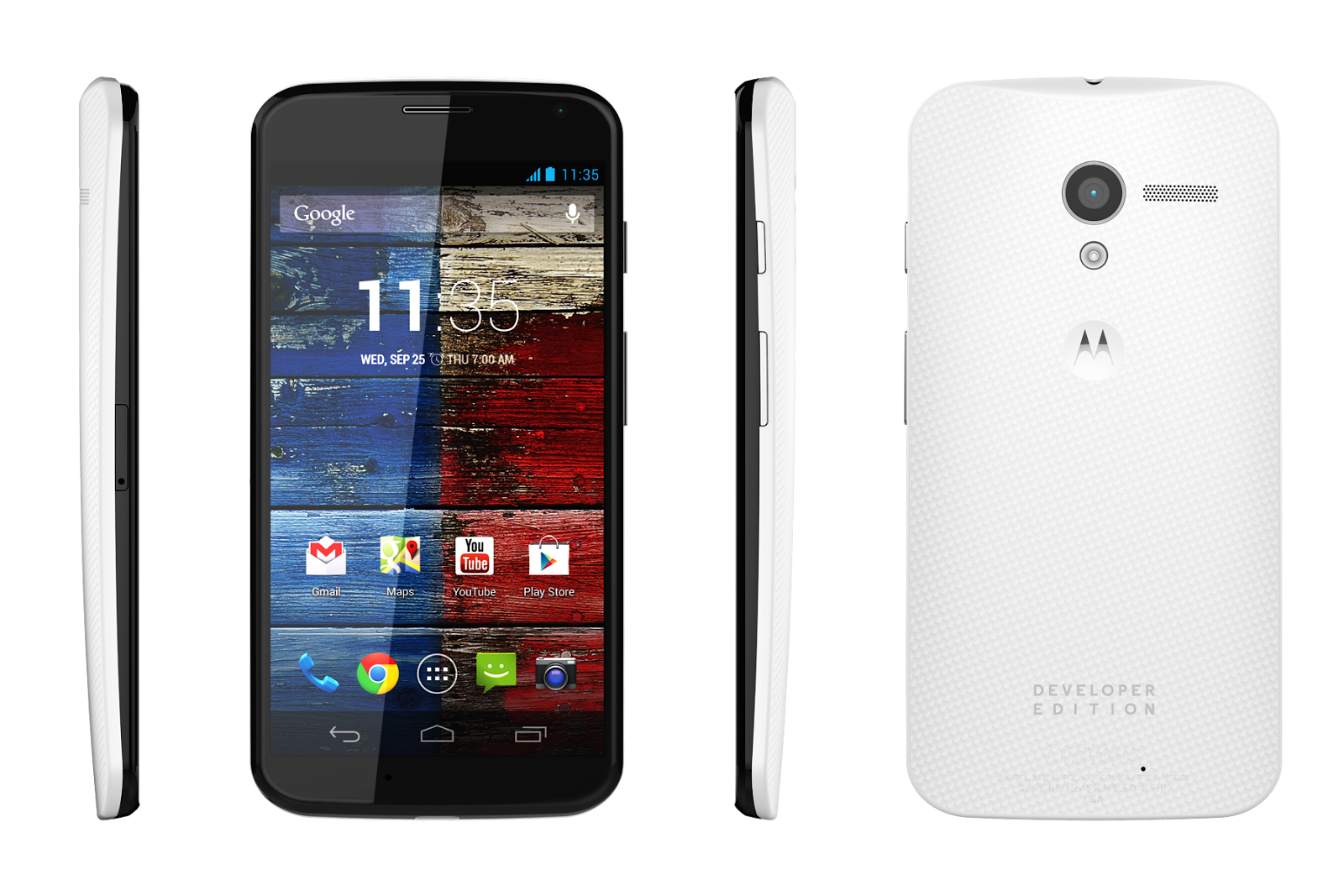
Motorola launched its new Android Smartphone this year, Moto X (2014) which is a successor of Moto X launched last year.This new Moto X (2014) comes with a new features and hardware upgrade.upgrade. Moto X (2014) features a 5.2-inch with a resolution of 1080x1920 pixels and comes with a full-HD OLED screen.It has a Corning Gorilla Glass 3 for protection.The second-generation Moto X measures 140.8x72.4x9.97mm.


If you own an Android running smartphone whatever it is like Gingerbread, Ice Cream Sandwich or Jelly Bean or Latest Kit Kat. You’ve probably heard about rooting.Many users think that Rooting is a illegal but that's not a true.Rooting is Not Illegal and you can UnRoot you device after rooting.

Also check: How To Install Android Kitkat Update on Samsung Galaxy S3 LTE GT-I9305N

Root means Administration of your System.After rooting, you can customize full Android operating system and install third party application that require root access.You can change ROM, and replace any default application you want.Today we are going to make a complete tutorial on How to Root Moto X (2014).After rooting you can try different ROMs and apps on your Moto X.
Disclaimer: Follow this guide carefully and on your risk.We are not responsible for any damage.
Requirements: 
  • Make sure you backup all your data.
  • Backup your SMS and contacts.
  • Also make sure that your phone is charged at least 80%.
  • Disable your anti virus if you have any.
  • Get USB Drivers for your device and install it on your Computer.
  • Set Debugging Mode on through Settings > Developers and then check the box.
  • You must have unlocked bootloader.Go to Motorola official website to unlock your Moto X (2014)
Downloads:
How to Root Moto X (2014):
  1. Download Root Tool and extract in on your computer.
  2. Connect your device to your computer.
  3. Open Root Tool.bat file from the extracted files.
  4. Press 1 and hit Enter. It will install SuperSU files to your device.
  5. Then press 2 and hit Enter.It will install CWM Recovery on your device.
  6. After reboot, in recovery mode, select install zip from sdcard.
  7. Now you have to choose the SuperSU.zip to flash.
  8. After flashing, select reboot system and wait for somre time.
  9. Your Moto X (2014) is now rooted.
Source: xda

Microsoft launched Analog keyboard Prototype for Android Wear Devices

This year Google launched its new operating system for Wearable devices called Android Wear.LG, Samsung and Motorola has launched its Android Wear Smartwatches Google also launched new category in Google play Store for Android Wear devices.

<img src="http://www.techiop.com/" alt="Microsoft launched Analog keyboard Prototype" />

Microsoft has introduced its new design concept called analog keyboard for Android Wear devices.However, it is a prototype.According to demo video by Microsoft, this new keyboard is not like your Smartphones.It uses you written letters as a input text.So you can type any word, any number and any type of letter you want.It just print them in your text.It is up-to you, what you want to type.This keyboard provide 320 x 320 resolution screen to write letters.

Also check: Motorola Droid Turbo Smartphone Image Leaked online, comes with 21MP rear camera

Microsoft said,
As touch screens are getting smaller, soft keyboards are getting harder to use. With the Analog Keyboard Project we are exploring handwriting recognition for text input on very small touch screens. This video shows our prototype for Android Wear running on the Motorola Moto 360 and Samsung Gear Live.
This is a demo video launched by Microsoft, shows next generation keyboard for Android Wear devices.


Source: Microsoft Research


Angry Birds Seasons receives an NBA Ham Dunk update

Most popular Smartphone Game Angry Bird is ready to receive its next major update.update. Ravio has launched a new update for its Angry Bird seasons.If you're own a Android and iOS smartphone then you have definitely played this game. Ravio always try to include fresh content and new ideas to its Angry Bird season series.This time Ravio is coming with the Angry Birds Seasons NBA Ham Dunk update.


This new update allows users 15 new basketball-themed levels and there are 30 NBA team stages. Ravio includes new environment, new power-up and other game-play improvements.It is expected that the National basketball Association is using Angry Birds Seasons game to promote their league.

Also check: Krrish 3 Official Game is now available for Windows Phone and Windows 8
  • 15 Basketball levels
  • 30 NBA Team Levels
  • New Powers
  • Spalding Ball
  • More Pig Days
Google Play Store Link